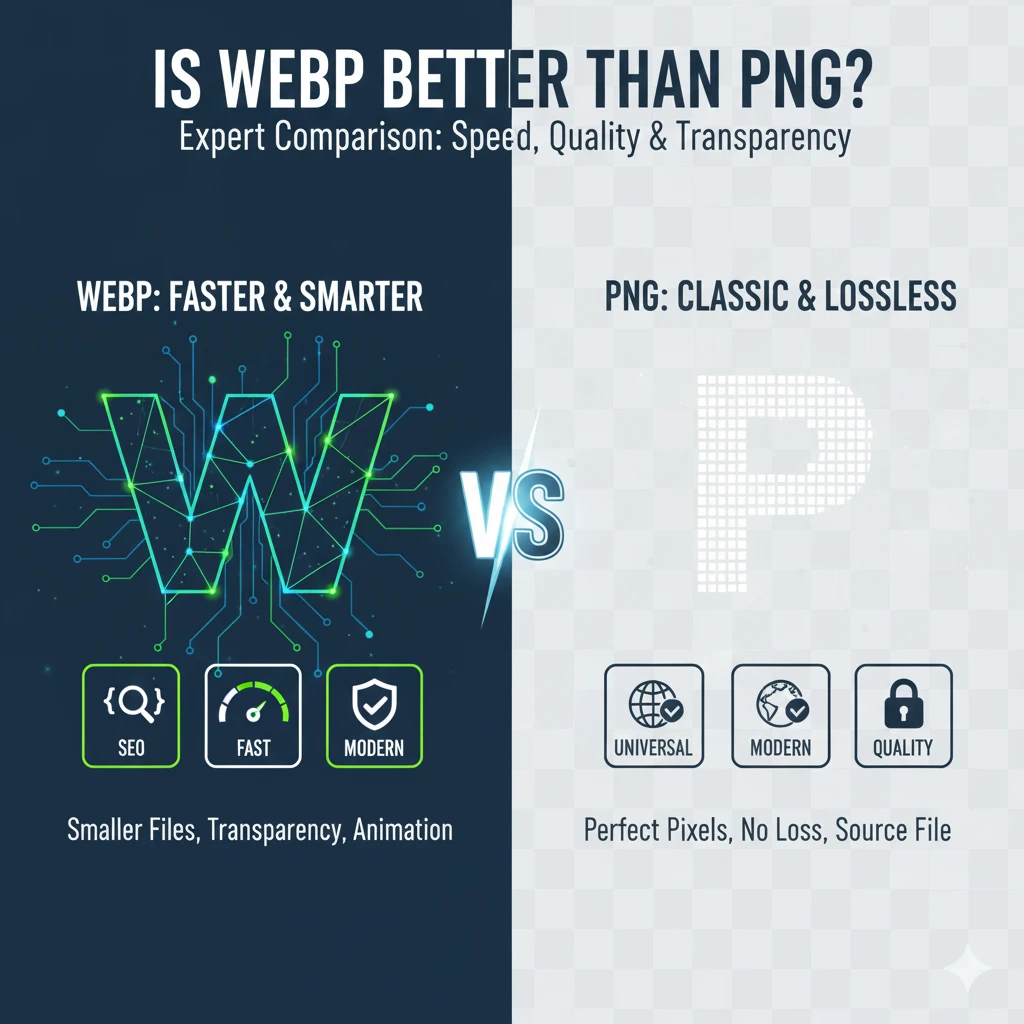
The choice of image format significantly impacts your website’s performance and visual quality. Today, developers frequently rely on two main contenders for graphics that require lossless quality or transparency: WebP and PNG. Understanding the technical differences between these formats is crucial for optimizing modern web pages.
Why Image Formats Matter
Every visual element you place on a webpage affects loading time. For years, the PNG format (Portable Network Graphics) has been the gold standard for graphics and logos needing clear transparency, offering true lossless compression. However, its files often become quite large, slowing down the user experience.
Purpose of This Comparison
This article aims to provide an expert comparison between WebP and PNG formats. We will analyze their compression efficiency, quality maintenance, transparency support, and real-world use-cases. By the end, you’ll know exactly when to choose WebP or PNG to best balance speed and visual fidelity, ultimately answering: Is WebP better than PNG?
WebP vs. PNG: An Expert Guide to Image Format Efficiency
Choosing the right image format is crucial for website performance, user experience, and storage efficiency. The long-established PNG format is known for lossless quality, while the modern WebP format, developed by Google, prioritizes superior compression and speed. This comparison explores the technical features and efficiency of WebP and PNG to help you decide which is better for your needs.
What is WebP?
WebP is an open-source image format introduced by Google in 2010 to make the web faster. It was designed as an improved, more efficient alternative to older formats like JPEG and PNG. WebP files typically use the .webp extension.
- Technical Features and Benefits:
- Lossy & Lossless Compression: WebP uniquely supports both compression types. Lossless WebP images are generally 26% smaller than equivalent PNGs. Lossy WebP compression, based on the VP8 video codec, can achieve even greater size reductions, often making files 25–34% smaller than comparable JPEGs at the same quality index.
- Alpha Transparency: It supports full alpha channel transparency in both lossy and lossless modes, which is a major advantage for web performance compared to the bulky files often produced by PNG for transparent images.
- Animation Support: WebP can handle animations, acting as a more efficient, higher-quality alternative to the GIF format.
What is PNG?
PNG, or Portable Network Graphics, is a raster-graphics file format created in the mid-1990s as a free, non-patented replacement for the GIF format. It is a long-established staple of web design and graphics. PNG files typically use the .png extension.
- Technical Features and Limitations:
- Lossless Compression Only: PNG is a strictly lossless format. This is its strength, guaranteeing pixel-perfect detail and color fidelity, which is ideal for logos, line art, and graphics with sharp edges.
- Alpha Channel: It is renowned for its support of the alpha channel for high-quality, partial transparency, which is essential for placing graphics over varied backgrounds.
- Size Limitation: Because it only uses lossless compression, the main PNG format limitation is that it produces significantly larger files than WebP or JPEG, especially for complex photographs or images with large color palettes, which slows down page load times.
- No Native Animation: The standard PNG format does not support animation. Animated Portable Network Graphics (APNG) is a less widely adopted variation.
WebP vs. PNG: Efficiency and Compatibility
When comparing WebP vs. PNG efficiency, WebP is the clear winner for performance-critical web images due to its superior file size reduction. PNG maintains its dominance in areas requiring absolute quality preservation.
WebP is better for most web-based scenarios, as the WebP vs. PNG size reduction leads to faster page loading, improved SEO scores (Core Web Vitals), and lower bandwidth usage. However, PNG remains the gold standard for source files, detailed graphics where quality is non-negotiable, and when universal backward compatibility is required.
To benefit from WebP, you will often need to convert PNG to WebP using specialized tools like Google’s Squoosh, image optimization plugins for CMS platforms (like WordPress), or command-line utilities.
Detailed Comparison Between WebP and PNG
The true value of WebP is revealed when conducting a webp vs png detailed comparison focusing on compression efficiency and image fidelity. While both formats can deliver high quality, they achieve it in fundamentally different ways.
Lossless Compression Quality
When comparing lossless webp vs png, the visual output is identical. Both formats guarantee pixel-for-pixel fidelity, meaning there is zero loss of original data.
- PNG: Uses the DEFLATE algorithm, which is robust but results in larger files because it prioritizes data integrity over extreme size reduction.
- WebP: Achieves the same perfect quality using more modern predictive coding techniques. This leads to lossless WebP files being consistently about 26% smaller than their PNG equivalents. WebP is the superior PNG alternative for web graphics.
Lossy WebP vs. Lossless PNG
A key point in the webp vs png image quality debate is understanding WebP’s lossy capability. You would never compare a lossy WebP to a lossless PNG for the same use case, but the comparison highlights WebP’s flexibility.
- Lossy WebP: By introducing minor, controlled data loss (often imperceptible to the human eye), lossy WebP can shrink a file immensely. This makes it ideal for photographic content where a slight reduction in visual fidelity is easily offset by the massive speed gain.
- Lossless PNG: PNG cannot achieve this level of size reduction. If a large, high-quality image is needed, PNG will always be slower to load. This makes WebP the better choice for the modern web, even if only utilizing its lossless mode for graphics.
Transparency Support: WebP vs PNG
How Transparency is Handled
Both WebP and PNG formats handle transparency through the use of an alpha channel. The alpha channel is an extra layer of data that specifies the opacity level of every single pixel in the image. Both formats support a full 8-bit alpha channel, which allows for 256 levels of opacity, enabling smooth, intricate blending of the image over various website backgrounds.
- PNG Transparency: The PNG format is renowned for its transparency, and its implementation is lossless. This ensures that the transparency mask is pixel-perfect, making it the reliable choice for graphics like detailed logos or icons that must blend flawlessly.
- WebP Transparency: The key advantage of WebP transparency vs PNG is efficiency. WebP also supports the 8-bit alpha channel, but it can achieve this transparency in both lossy and lossless compression modes. This means you get the same visual effect with a much smaller file size.
Efficiency Comparison
When comparing webp vs png transparency, WebP is generally superior for web performance:
| Format | Transparency Support | Compression Type Used | File Size Efficiency |
| PNG | Full Alpha Channel | Lossless Only | Less efficient; files are larger. |
| WebP | Full Alpha Channel | Lossless and Lossy | Highly efficient; files are significantly smaller. |
If you ask, “Is WebP Better Than PNG?” regarding transparency, the answer is yes, because WebP offers the same high-quality transparency at a much smaller file size, which is critical for web speed.
Compression Efficiency and File Size: A Closer Look at WebP and PNG
The fundamental difference between these two formats lies in the compression algorithms they employ, which directly impacts the webp vs png file size outcome.
PNG Compression
PNG utilizes the DEFLATE algorithm, which is a lossless compression technique.
- Mechanism: DEFLATE works by finding and replacing repeated data patterns in the image file. This method guarantees that every single pixel is preserved perfectly.
- Efficiency: Because it must ensure 100% fidelity, PNG’s compression efficiency is limited. For complex images or photos, the resulting file sizes are often significantly large, creating a bottleneck for web performance.
WebP Compression
WebP’s superior efficiency comes from its flexibility, offering two distinct compression methods.
- Lossless WebP: This mode also provides perfect quality, but it uses more advanced encoding techniques based on predictive coding. This allows it to remove data redundancy more effectively than PNG, resulting in files that are typically 26% smaller than equivalent PNGs.
- Lossy WebP: This mode uses techniques borrowed from the VP8 video codec. It selectively discards data (lossy compression) that the human eye is unlikely to notice. This delivers unparalleled file size reduction—often making photos 25–34% smaller than JPEGs. This flexibility means WebP always wins the webp vs png compression battle in terms of smallest file size for the same visual outcome.
The choice of WebP allows you to select the precise balance between file size and quality, a feature that PNG cannot match.
Performance Impact on Websites: WebP vs PNG
WebP for Faster Websites
The most significant factor in the webp vs png website performance debate is the file size advantage. Smaller files load faster, directly impacting user experience and search engine optimization (SEO). Since WebP for websites delivers files that are up to 26% smaller (lossless) and 25–34% smaller (lossy) than its counterparts, it offers a dramatic boost to speed.
Core Web Vitals (CWV)
When comparing webp vs png core web vitals, WebP is clearly the superior format. CWV metrics, which Google uses for ranking, heavily penalize slow-loading elements.
- Largest Contentful Paint (LCP): Images often constitute the LCP element. By using WebP, you serve a much smaller file, improving the LCP score and making the page appear faster to the user.
- Speed & Ranking: If you are asking which is faster to load, WebP wins every time. This faster loading speed directly correlates with improved SEO rankings and reduced user bounce rates. PNG for websites simply cannot compete with the performance gains offered by WebP.
WebP is an essential part of any modern performance strategy aiming for top-tier website speed.
Pros and Cons of Using WebP Compared to PNG
Choosing between these two formats involves weighing the superior speed of WebP against the guaranteed compatibility of PNG. While Is WebP Better Than PNG? is generally yes for web use, both formats have specific strengths and weaknesses.
WebP Advantages Over PNG
WebP is the clear winner for performance-driven websites. The webp advantages over png are primarily centered around compression and modern features:
- Superior Compression: WebP lossless files are typically 26% smaller than PNGs. This significant WebP vs PNG file size difference boosts speed and saves bandwidth.
- Versatility: WebP supports both lossy and lossless modes, allowing flexibility. It also supports animation, which PNG does not natively.
- SEO & Speed: Smaller file sizes improve Core Web Vitals, resulting in better webp vs png website performance and higher SEO rankings.
PNG Disadvantages vs WebP
The core png disadvantages vs webp relate directly to file size and limitations.
- Larger File Sizes: PNG’s strictly lossless nature means files are significantly larger than WebP, often dramatically slowing down page load times.
- No Animation: PNG lacks built-in animation support, requiring the use of the less common APNG variant or the outdated GIF format.
WebP Limitations
The primary limitations of WebP are related to legacy support:
- Legacy Compatibility: While modern browser support is near-universal, WebP may not load on very old operating systems, specific enterprise software, or some older email clients. This requires developers to use fallback PNG/JPEG versions.
- Editing Friction: Although modern editors like Photoshop now support WebP natively, older image editing software still requires plugins, adding minor friction to certain workflows.
For the modern web, WebP vs PNG pros and cons strongly favor WebP, provided a simple fallback strategy is in place.
When to Use WebP or PNG? Use Case Recommendations
Deciding should I use WebP or PNG boils down to balancing image integrity against website speed. The following recommendations provide clear guidance on which format to choose for maximum performance and quality.
Ideal Scenarios for WebP
You should choose WebP when file size reduction is your priority, which is generally true for any public-facing website:
- Photographs and Complex Graphics: For large images, product photos, or banners, WebP’s superior lossy compression shrinks files by 25–34% compared to JPEG. This is your best choice for speed.
- Transparent Images Needing Optimization: Use lossless WebP for graphics with transparency. This allows you to eliminate the bulky file size of PNG while retaining perfect alpha channel quality.
- Animations: Use animated WebP to replace GIFs, gaining significantly smaller file sizes and a better color depth.
Situations Favoring PNG
PNG should be reserved for specific cases where perfect fidelity and universal compatibility outweigh the cost of larger file sizes:
- Logos and Icons: When perfect sharpness is paramount and the file size is very small (e.g., a 5KB logo), PNG is simple to implement and universally supported.
- Text-Heavy Graphics: Use PNG for screenshots, technical diagrams, or infographics where every pixel of text and lines must be perfectly rendered without any compression artifacts.
- Design Source Files: If an image needs to be edited repeatedly and saved multiple times without any cumulative quality loss, PNG’s strictly lossless nature makes it the safest choice for designers.
The choice is clear: when to use webp is nearly always for deployment, while when to use png is for highly specific compatibility or source file integrity.
SEO Considerations Between WebP and PNG
Google’s Recommendations
Google has been an active promoter of the WebP format because of its direct correlation with web performance. The fact that Google recommends WebP is the single most compelling SEO argument for switching formats. Google explicitly encourages developers to adopt modern image formats—which WebP defines—in its PageSpeed Insights and Core Web Vitals documentation. These recommendations are based on tangible metrics, not just preference.
WebP vs PNG SEO Impact
When comparing webp vs png seo, WebP offers a massive performance advantage that directly translates into higher rankings.
- Speed is Ranking: Since WebP files are significantly smaller (up to 26% smaller than lossless PNGs), they load faster. Page speed is a critical ranking factor, and WebP helps ensure your site meets Google’s speed thresholds.
- Core Web Vitals: Faster loading images improve the Largest Contentful Paint (LCP) score, which is a key metric in Core Web Vitals. Optimizing images with WebP is one of the most effective ways to boost your overall CWV assessment and improve organic visibility.
- User Experience: Google values a fast, seamless user experience. Heavy PNG files degrade this experience, leading to higher bounce rates, which negatively impacts SEO.
WebP is not just a format; it’s a technical SEO optimization tool that Google actively rewards.
The Future of Image Formats on the Web
Trends Towards Modern Efficiency
The trend across the entire tech industry is a strong and irreversible shift towards modern, efficient image formats like WebP. This transition is not driven by preference but by the economic and performance necessity of a mobile-first internet. As users demand instant loading speeds and as search engines heavily prioritize site speed via Core Web Vitals, older, heavier formats like PNG and JPEG are becoming liabilities.
- Industry Adoption: Major companies, content delivery networks (CDNs), and content management systems (CMSs) are actively converting images to WebP by default. This widespread adoption stabilizes the format, addressing past concerns about compatibility and making it the new standard.
- Performance Priority: Developers are now focused on achieving the highest level of webp vs png website performance. The file size advantage of WebP—especially the 26% file size reduction in its lossless mode compared to PNG—makes it the indispensable format for future-proofing any website.
Is WebP Better Than PNG?
The expert consensus confirms that WebP is better than PNG for almost all modern web deployment scenarios.
| Format | Role in the Future | Why WebP Wins |
| WebP | Primary Deployment Format | Superior compression, full transparency support, and better performance for SEO. |
| PNG | Fallback and Source File | Remains essential only for guaranteed universal compatibility and as a lossless source file for design work. |
The future of web imagery favors formats that use the least amount of data to achieve the highest quality, and WebP currently leads this race.
FAQs: WebP Downloading and Conversion
The frustration of having images saved as WebP instead of a familiar format like PNG or JPEG is common. Here are the answers and practical solutions.
Why is my browser downloading images in WebP?
Your browser is downloading images in WebP because the website is serving them that way. Web developers use WebP because the files are 25–34% smaller than JPEG or PNG, which makes the website load significantly faster (improving SEO and Core Web Vitals). When your modern browser (like Chrome, Edge, or Safari) sends a request to the server, it tells the server, “I can accept WebP,” and the server sends the smaller WebP file for performance.
How to stop Chrome from saving images as WebP?
There is no direct setting in Chrome to prevent websites from sending WebP. The most reliable solution is using a free browser extension that converts the file before saving:
- Use an Extension: Install extensions like “Save Image As Type” or “Save Image As PNG” from the Chrome Web Store.
- Right-Click: Right-click the image and use the extension’s menu to select “Save as PNG” or “Save as JPEG.” The extension handles the conversion on the fly.
- Alternative: For quick conversions on Windows, you can right-click the image, select “Copy image,” paste it into Microsoft Paint (or another basic editor), and then use File > Save As to save it as JPEG or PNG.
How to save images as PNG instead of WebP?
To consistently save files in PNG format, use one of these methods:
- Use a Conversion Extension: (Recommended) Install an extension like “Save Image As Type” to add the “Save as PNG” option to your right-click menu.
- Use Online Converters: If you’ve already downloaded the WebP file, use a free online tool like this free webp converter, Canva, Squoosh, or Ezgif to upload the WebP and download it as PNG.
- Copy/Paste Method: Right-click and copy the image, then paste it into a simple image editor (like Paint or GIMP) and save the new file as a PNG.
Frequently Asked Questions
Is WebP really better than PNG?
Yes. WebP generally outperforms PNG by offering significantly smaller file sizes while still supporting transparency. This helps websites load faster and improves overall performance.
Does WebP have the same quality as PNG?
WebP can match PNG quality in lossless mode. It also offers smaller file sizes than PNG without compromising clarity, especially for graphics, UI elements, and transparent images.
When should I use WebP instead of PNG?
Use WebP for website images, product photos, UI elements, and any image where file size impacts load speed. PNG is preferred only for extremely detailed graphics that require pixel-perfect accuracy.
Does WebP support transparency like PNG?
Yes. WebP supports alpha transparency in both lossy and lossless modes, making it a modern replacement for PNG in almost all use cases.
Are WebP images safe for SEO?
Absolutely. WebP images improve Core Web Vitals due to faster load times. Better page speed directly correlates with improved SEO and higher Google rankings.
Can all browsers open WebP?
Yes. All modern browsers—including Chrome, Safari, Firefox, Edge, and Opera—support WebP. Only very old browsers (like Internet Explorer) lack support.
Why do WebP files load faster than PNG?
WebP uses advanced compression, reducing file sizes by 25–35% compared to PNG. Smaller files require less bandwidth, resulting in faster page load speeds.
Conclusion: WebP vs PNG Final Verdict
The detailed analysis confirms that Is WebP Better Than PNG? depends entirely on the use case, but for modern web performance, WebP is the superior choice. The key takeaway is that WebP is the future of image delivery, while PNG remains the reliable standard for design integrity.
Final Expert Recommendation
Our final expert recommendation is to use both formats intelligently to maximize both speed and quality:
- Primary Deployment (WebP): Use WebP for 99% of all images served on your live website. Its ability to provide file sizes up to 26% smaller than PNG (lossless) and its support for transparency make it essential for achieving excellent Core Web Vitals and SEO rankings.
- Design Source & Fallback (PNG): Reserve PNG as the guaranteed lossless source file for your designers. Also, use it as the HTML fallback for the small percentage of users on legacy browsers that still do not support WebP.
Leveraging Both Formats
By setting WebP as the default and utilizing PNG for specific scenarios, you leverage the strengths of both formats. You gain the modern performance edge while maintaining universal compatibility. This strategy ensures the fastest possible site speed without compromising the crisp quality of your key visual assets.