1. Introduction: What Exactly Is a WebP File?
Have you ever tried to save an image from a website and noticed it ended in .webp instead of the usual .jpg? You are not alone. So, what is a WebP file exactly? Developed by Google in 2010, the WebP format is a modern image type designed specifically to make the web faster and more efficient.
Its primary purpose is simple: create significantly smaller file sizes without sacrificing visual quality. This is exactly why developers and websites today prefer WebP images over traditional PNG or JPG files. By using the Google WebP format, pages load almost instantly, which keeps visitors happy. If you are asking, “Are WebP images safe?” the answer is a resounding yes. They are standard, secure files optimized for performance. Understanding this WebP definition explains why this format is rapidly becoming the internet’s favorite standard for high-quality visuals.
2. Why Google Created WebP (The Real Reason)
You might wonder, why did Google create WebP in the first place? The tech giant realized that heavy images were the main culprit behind slow websites. Their goal was to make the entire internet faster and more efficient for everyone. To achieve this, they developed superior Google WebP compression technology that shrinks file sizes without ruining the picture quality.
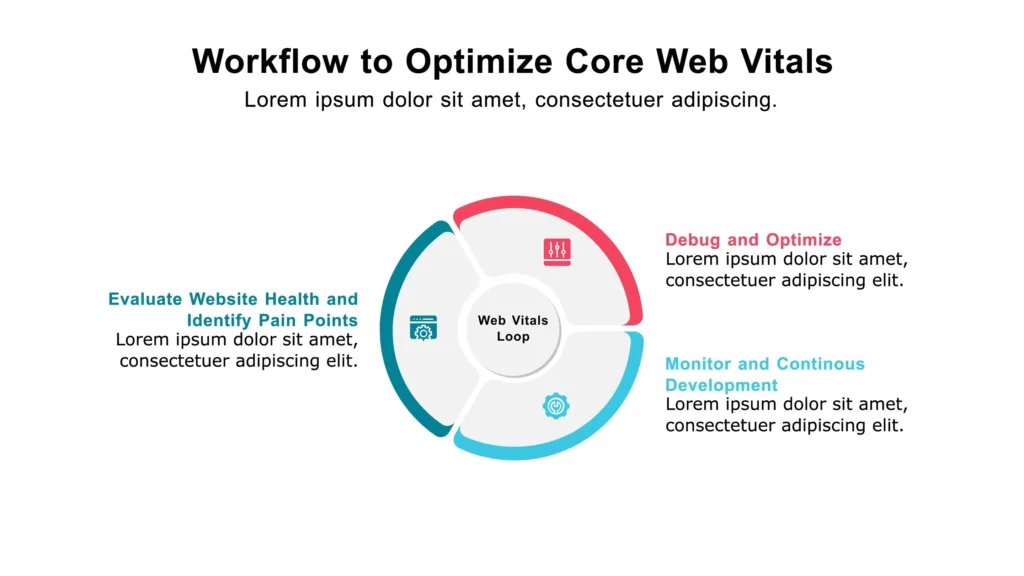
This innovation is not just about saving space; it is about user experience. Fast-loading images directly improve a site’s Core Web Vitals, which are metrics Google uses to rank pages. When asking is WebP better than JPEG, the answer lies in performance. The WebP purpose serves high-performance websites that need to load instantly on mobile devices. By fixing slow load times, Google ensured that users stay engaged rather than bouncing off a lagging page.
3. Key Features & Technical Benefits of WebP
You might be asking, “Why switch formats?” The answer lies in the unique WebP features that solve common web headaches. Unlike older formats that force you to choose between quality and speed, WebP offers the best of both worlds through advanced technology.
Here is how it outperforms the competition:
- Smart Compression: It uses WebP lossy compression (predictive coding) to shrink photos significantly and WebP lossless mode to preserve detail in graphics, often making files 26% smaller than PNGs.
- Superior Transparency: Does WebP support transparency? Yes. It offers a WebP alpha channel even in lossy mode, something JPEGs cannot do.
- Next-Gen Animation: WebP animation creates smoother, lighter moving images than bulky GIFs.
- Speed & Quality: These WebP file advantages mean you get smaller sizes for faster loading without visible quality loss.
4. WebP vs Other Formats (PNG, JPEG, AVIF, SVG)
Choosing the correct format directly impacts your website’s performance. Many creators wonder, is WebP high quality compared to traditional files? Here is how it stacks up against the rest.
- WebP vs PNG (Transparency): This is a major upgrade. WebP vs PNG comparisons show that WebP keeps the transparency you need but drastically reduces file size.
- WebP vs JPEG (Efficiency): In the WebP vs JPEG battle, WebP wins on storage. Does WebP reduce quality? No. It offers the same visual fidelity at a fraction of the weight.
- WebP vs AVIF (Modern Formats): When looking at AVIF vs WebP, AVIF is the newer contender with slightly better compression. However, WebP vs AVIF shows WebP currently has wider historical browser support.
- WebP vs GIF (Animation): For motion, WebP supports more colors and loads much faster than old-school GIFs
5. Browser, Editor & App Support
Understanding browser support for WebP is essential before committing to the format. Thankfully, compatibility is excellent now. All major modern browsers—Chrome, Firefox, Edge, and Safari (since iOS 14)—fully support the format. This widespread adoption means most users globally can view your optimized images without issue.
This acceptance extends to mobile devices. Android WebP support has been strong for years, and now iPhones can open WebP files natively. For creative work, Photoshop WebP support is now standard in newer versions, and platforms like Canva and Figma fully handle the format. If you need a quick look, any modern browser works as a reliable WebP viewer online. High compatibility eliminates nearly all concerns about using WebP.
6. Common Problems Users Face With WebP
Despite widespread adoption, users sometimes encounter hurdles with this modern format. The most frequent issue is asking why webp not opening. This usually stems from using older software or outdated operating systems like pre-iOS 14. To fix this, you simply need to learn how to open webp file using a modern browser or a quick conversion tool.
Another common headache involves editing software. If you run an older version of Photoshop, you might need to convert webp to jpg for photoshop compatibility. If you lose transparency during conversion, remember to convert webp to png for editing instead of JPG. Finally, some auto-conversion plugins can cause webp compatibility issues by unexpectedly converting uploaded images. Always check your site’s settings to ensure smooth sailing.
8. How to Convert Other Formats to WebP
After understanding the performance benefits, the next logical step is learning how to create webp images. Websites convert standard files like png to webp and jpg to webp simply to dramatically improve loading speed. Converting your entire image library is one of the quickest ways to optimize your site.
Fortunately, you have several options to convert images to webp. For quick, one-off jobs, many free online tools can handle the jpeg to webp switch easily. For large-scale projects, automation is key. Modern content management systems, plugins, and even command-line scripts allow you to convert entire folders efficiently. This process ensures all your visuals are modern and fast.
9. WebP for SEO & Website Speed (Core Web Vitals)
If you want better search engine results, you absolutely need WebP for SEO. This modern format is highly effective WebP for website speed, which is a primary ranking factor for Google today. The direct relationship is simple: smaller images load faster. If you wonder does WebP improve speed, the answer is unequivocally yes.
Crucially, this format directly impacts WebP for Core Web Vitals, particularly Largest Contentful Paint (LCP). LCP measures how fast the primary content appears. Faster loading images mean a better LCP score and a smoother user experience. This essential performance boost contributes significantly to your overall WebP Google ranking. Ensure your CDN or webserver delivers WebP efficiently to maximize these benefits.
10. File Size, Compression & Quality Benchmarks
If you are looking for hard evidence that WebP is superior, the benchmarks speak for themselves. The primary goal of WebP is maximum WebP size reduction without sacrificing visual quality. Is WebP smaller than PNG? Yes, significantly. Lossless WebP files are consistently around 26% smaller than identical PNG files.
For photos, WebP file size comparison shows lossy WebP easily beating JPEG. It delivers the same, or even higher, quality while shrinking the file size by 25% to 34%. For WebP quality examples, independent tests show WebP preserves fine details better, avoiding the noticeable artifacts or color shifting often seen in heavily compressed JPEGs. This ideal balance of speed and clarity makes WebP the modern image standard.
While the WebP format itself is a standard file type, any software that processes complex data can have security flaws. So, are WebP images safe? Generally yes, but they are not immune to vulnerabilities.
🛡️ WebP Security Explanation
The most significant security concern arose in September 2023 with the disclosure of a critical heap buffer overflow vulnerability (CVE-2023-4863) in the libwebp decoding library. This library is used by nearly all major browsers and many applications. The vulnerability allowed a malicious actor to perform a “zero-click” attack, meaning that merely viewing a specially crafted WebP image could potentially lead to arbitrary code execution on the user’s system. This flaw was found in the lossless compression feature of the format.
🚨 How Users Can Stay Safe
Thankfully, tech companies quickly addressed the issue. The vulnerability was in the software that handles the image, not the image format itself. To minimize the risk of WebP vulnerabilities, you must:
- Update Immediately: Ensure all your software, especially web browsers (Chrome, Firefox, Edge, Safari) and messaging apps (like Telegram or Signal), are running the latest patched versions.
- Keep OS Current: Keep your operating system (Windows, macOS, iOS, Android) updated, as they contain patched versions of the core image libraries.
If you are wondering about WebP malware, the risk is minimized by following a rigorous update schedule.
This video discusses the serious nature of the WebP vulnerability and why patching systems immediately was crucial for security Why You Need To Patch More Than Your Browser For WebP Vulnerabilities Now!.
💻 WebP for Developers (Advanced Section)
MIME Type
Developers must correctly serve WebP images using the specific MIME type. This ensures browsers correctly interpret the file format. The official MIME type for WebP is image/webp. You should configure your web server (like Apache, Nginx, or a CDN) to map the .webp file extension to this MIME type. Incorrect configuration can lead to images failing to load or appearing corrupted. Furthermore, when using the HTTP Accept header, the browser signals its WebP support. This header will include image/webp. Your server-side logic can detect this token and dynamically deliver the smaller WebP asset instead of the traditional JPEG or PNG. This capability allows for maximum optimization without complex client-side fallbacks.
Encoding Examples
WebP offers both lossy and lossless compression, each with unique encoding parameters. For lossy WebP, the primary parameter is the quality factor, typically ranging from 0 (lowest quality, smallest file) to 100 (highest quality, largest file). A value around 75-85 often strikes an excellent balance for photos. Lossless encoding uses a compression factor that dictates the effort and time spent searching for optimal compression. Higher compression factors result in smaller files but slower encoding times. Developers often use command-line tools like cwebp to batch-convert images. For instance, the command cwebp -q 80 input.jpg -o output.webp converts a JPEG to an 80-quality lossy WebP.
Browser Fallback HTML Examples
Providing a fallback for browsers that lack WebP support is a critical best practice. The <picture> element is the most robust HTML solution. It allows developers to specify multiple image sources, and the browser automatically selects the first format it understands. For example, you can list the WebP source first, followed by a traditional JPEG. This technique is superior to JavaScript detection. Alternatively, the <source> element with the type attribute lets you define the MIME type, guiding the browser’s choice. Always include a final <img> tag as the ultimate fallback for all other scenarios.
Lazy Loading + WebP
Combining lazy loading with WebP delivery dramatically boosts perceived performance. Lazy loading defers image loading until the asset is about to enter the viewport, saving initial bandwidth. Modern browsers support native lazy loading by adding the loading="lazy" attribute to the <img> tag. This feature works seamlessly with the <picture> element fallbacks. By serving the lightweight WebP format only when the user needs it, the page becomes noticeably faster and more responsive. Ensure you set appropriate dimensions on your images to prevent layout shifts (CLS) as the images load, maintaining a smooth user experience.
13. Real Use Cases of WebP
WebP is not just a theoretical improvement; major online platforms use it daily. The main reason why websites use WebP is simple: performance drives revenue and engagement. The benefits scale perfectly across many industries, making it a universal solution.
- E-commerce Images: Online stores rely heavily on product photography. Benefits of WebP for e-commerce include faster page loads, which directly improve conversion rates and customer satisfaction. Smaller files also significantly reduce hosting and bandwidth costs.
- Blogging Platforms: Sites featuring tutorials or photo-heavy articles see major speed gains. Using WebP for blogs ensures posts load instantly, preventing high visitor abandonment.
- SaaS Dashboards: Complex SaaS dashboards must feel instantaneous. Using WebP for background graphics, non-SVG icons, and user avatars ensures the application interface appears instantly, enhancing the professional user experience.
14. Tools for Viewing, Editing & Converting WebP
Finding the right software is simple now that WebP is mainstream. You need tools to view, edit, and convert to harness the format fully. Thankfully, many free WebP tools exist to make the process effortless.
- Desktop Tools: For professionals, powerful editors like GIMP and updated Adobe Photoshop versions handle the format natively. Programs like XnConvert serve as an excellent WebP viewer and offer fast, batch conversions for large image libraries.
- Online Tools: The best WebP converter is often found online. Platforms like Canva, Photopea, and FreeConvert work as powerful WebP editor online options. They provide fast, high-quality conversions without requiring any software installation.
- Browser Extensions: All modern browsers now act as a native WebP viewer. However, some users still prefer extensions to perform quick, one-click conversions right from the browser window.
Frequently Asked Questions (FAQs)
General Information
- What is a WebP image? A WebP image is a modern file format developed by Google. Its main purpose is to create high-quality images with much smaller file sizes than traditional JPEG or PNG files.
- Why did Google create WebP? Google created WebP to make the internet faster. Heavy image files were slowing down websites, so WebP was developed to boost speed and improve user experience, directly impacting Core Web Vitals.
- Why are websites using WebP now? Websites use WebP to achieve better SEO and higher Google rankings. Faster load times directly improve Core Web Vitals, which leads to better user retention and a higher position in search results.
- Are WebP images safe? Yes, WebP files themselves are safe. Like any file format, security relies on keeping your browsers and operating systems fully updated to patch any potential vulnerabilities in the decoding software.
Technical & Quality Questions
- Does WebP reduce image quality? No, not noticeably. WebP offers lossy compression that typically shrinks files by 25–34% while maintaining visual quality equal to or better than a comparable JPEG.
- Is WebP better than PNG? Yes, generally. WebP is better because it supports transparency like PNG but produces files that are about 26% smaller for the same quality, which makes pages load faster.
- Does WebP support transparency? Yes, WebP supports an alpha channel for transparency in both its lossless and lossy compression modes. This is a key feature, especially compared to the traditional JPEG format.
- Does WebP support animation? Yes, WebP fully supports animation. It is an excellent, smaller replacement for the GIF format, offering better color depth and significantly reduced file sizes for moving graphics.
Compatibility & Tools
- Can Photoshop open WebP? Yes, modern versions of Adobe Photoshop support the WebP format natively. Older versions may require installing a specific plug-in to enable viewing and editing.
- Can Canva export WebP? Yes, Canva, being a powerful online tool, is capable of handling, viewing, and exporting WebP images, serving as a versatile online WebP editor.